Process Monitor
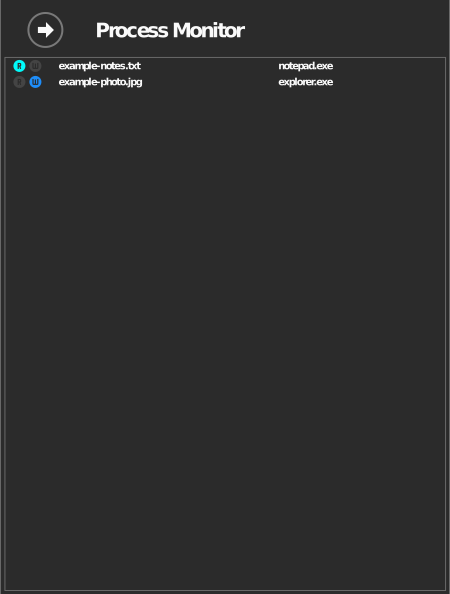
The Process Monitor shows, live, which files on your drives are being read or written and which Windows process is doing it.
Any paid plan
Included in every paid plan (Starter and above) — not on the free Standard plan. See raidrive.com/pricing.
Open the Process Monitor
The monitor lists only drives whose advanced option Monitor process access to files is on. Turn it on once for each drive you want to watch:
- In the drive list, click Disconnect on the drive, then Edit.
- In the advanced options, turn on Monitor process access to files. If it is grayed out, your plan does not include it (see the box above).
- Click OK, then Connect.
With the option on, the drive's R and W marks light up while a program reads or writes files on it.

Then open the monitor:
- At the top right of the RaiDrive window, click your name (the Account button).
- In the Account panel, click Process Monitor.
The list is live, not a history: a file appears while a program has it open and disappears a few seconds after the program closes it. An empty list means no program is using files on those drives right now.
What the list shows
Each entry shows the file name and the process accessing it, with read/write indicators while the transfer is active. Clicking a file opens File Explorer with that file selected.
Typical uses
| Situation | What the monitor tells you |
|---|---|
| Drive won't disconnect | Which program still has files open — close it, then disconnect |
| Unexpected transfers | Which process is reading or writing in the background (e.g. antivirus, indexer, sync tools) |
| Slow performance | Whether many processes are hitting the drive at once |