SAS LSAF
Mount a SAS Life Science Analytics Framework (LSAF) server as a Windows drive over its WebDAV interface — browse the repository and your workspace in File Explorer.
Before you begin
Prepare the following in advance:
- Your organization's LSAF server address.
- Your LSAF username and password — no access keys are involved; accounts are managed by your LSAF administrator.
Connect
- Click Add in the toolbar.
- Choose Enterprise → SAS LSAF.
- Enter the server address, and your username and password.
- Optionally enter a path to mount a specific repository folder or workspace as the drive root.
- Click Connect.
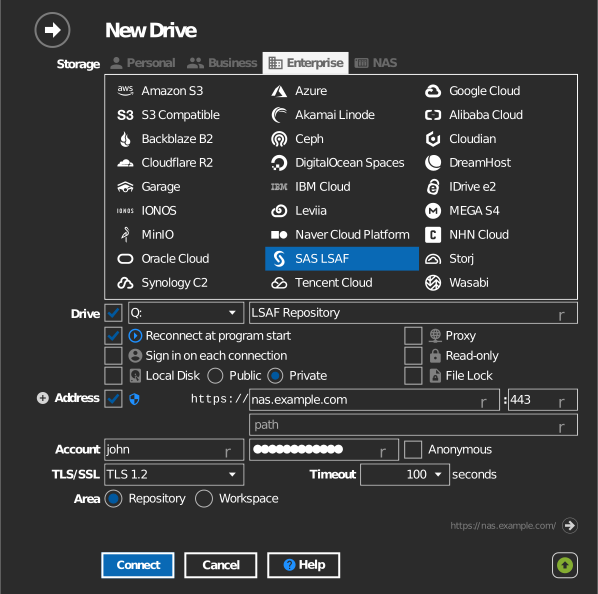
Settings
| Setting | Description | Default |
|---|---|---|
| Address / Port | LSAF server host | — |
| Username / Password | LSAF account | — |
| Path | Repository or workspace folder mounted as the drive root | server root |
| Read-only | Blocks writes to the mounted drive | off |
Behavior & limits
- LSAF's repository permissions, versioning, and checkout rules are enforced by the server — files that require checkout cannot be edited in place.
Troubleshooting
| Symptom | Cause | Fix |
|---|---|---|
| Cannot save a file | The item is versioned and requires checkout | Check the item out in LSAF, or work in your workspace |
| Sign-in fails | Wrong LSAF credentials or locked account | Verify credentials with your LSAF administrator |