UlozTo
Mount Uloz.to Disk as a Windows drive. Sign in with your Uloz.to email and password directly in RaiDrive.
Before you begin
Prepare the following in advance:
- An Uloz.to account email and password. Sign-in happens inside RaiDrive, not in a browser.
Help from Uloz.to
Connect
- Click Add in the toolbar.
- Choose Personal → UlozTo.
- Set the drive letter and name.
- Enter your Uloz.to username (email) and password, then click Connect.
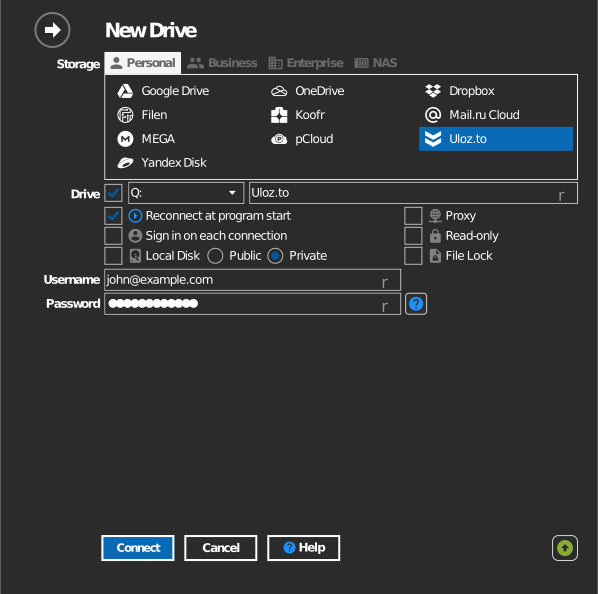
Settings
| Setting | Description | Default |
|---|---|---|
| Username / Password | Uloz.to account credentials | — |
| Drive letter | Where the drive mounts in Windows | first available |
| Read-only | Blocks writes to the mounted drive | off |
Behavior & limits
- Transfer speed follows your Uloz.to plan and the service's fair-use limits.
Troubleshooting
| Symptom | Cause | Fix |
|---|---|---|
| Sign-in fails | Wrong credentials | Verify the email and password on uloz.to first |