System Tray
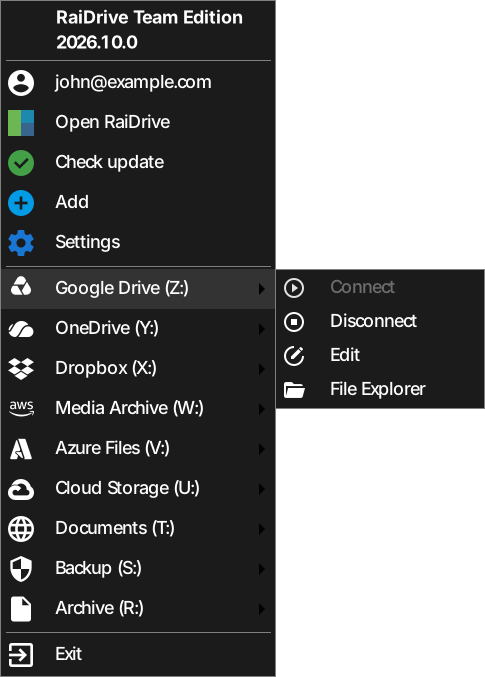
RaiDrive stays in the system tray (the notification area at the right end of the taskbar) as an icon the whole time it's running.
- Left double-click — opens the main window.
- Right-click — opens a menu:
- Open RaiDrive
- Check update
- Add
- Settings
- Lock/Unlock (if the app lock is on)
- a submenu per drive: Connect/Disconnect, Edit, File Explorer
- Exit
Closing the window doesn't quit the app
The X button on the main window minimizes it to the tray instead of quitting — drives stay connected. To fully quit, right-click the tray icon and choose Exit.