Subscription
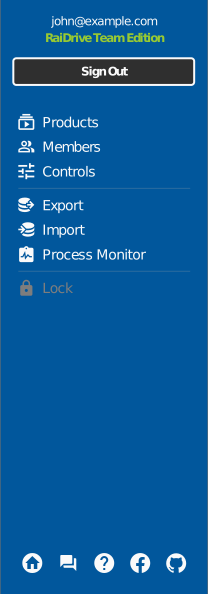
The Account panel shows the subscription attached to your account — plan, period, and licenses — and links to the subscription site where it is managed:
| Button | Opens |
|---|---|
| Products | Your subscription's product page — plan details and purchases |
| Members | The people using this subscription — see Sharing |
| Controls | Subscription management — changes, renewal, licenses |
For plan comparisons and pricing, see raidrive.com/pricing.
License on this PC
A license is used by signing in on a PC. To move it, sign out on the old PC and sign in on the new one; use Export/Import to carry the drive list across.
Licenses are counted by concurrent sign-ins (floating): install RaiDrive on any number of PCs, and sign in on as many of them at once as you have licenses.
Managed licenses (Team / Essential)
On Team and Essential plans, the subscription owner can manage what members' RaiDrive apps show from Controls → pay.raidrive.com/controls:
- Show or hide entire storage categories (Personal, Business, Enterprise, NAS) for members
- Force a drive option — Read-only, File Lock, network drive type, Public/Private — for a given storage; members can't change a locked option
- Allow or block sign-out and drive-list export/import
Changes apply to members automatically. If an option looks locked or a storage category is missing, your administrator has restricted it.