Google Photos
Service discontinued
The Google Photos mount service was discontinued on March 31, 2025, following Google's release of the Photos Picker API and changes to the Library API — under the new API policy, mounting is no longer possible. See the official notice.
Mount your Google Photos library as a read-only Windows drive and browse photos and albums in File Explorer.
Before you begin
Prepare the following in advance:
- A Google account.
Help from Google
Connect
- Click Add in the toolbar.
- Choose Personal → Google Photos.
- Set the drive letter and name, then click Connect.
- Your browser opens — sign in to Google and click Allow.
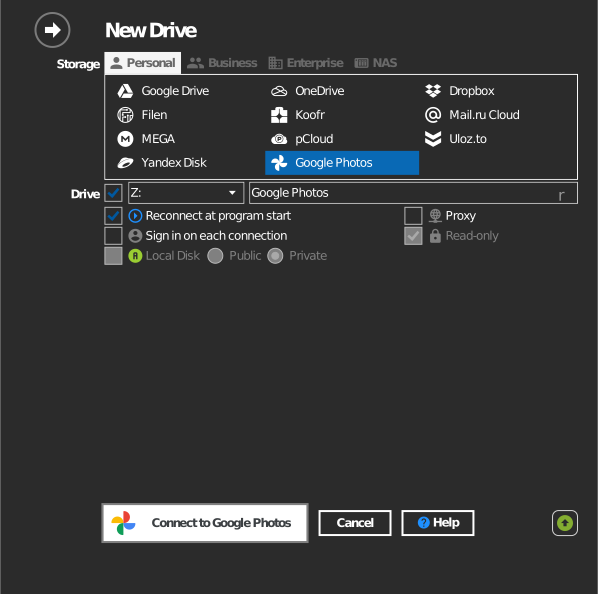
Settings
| Setting | Description | Default |
|---|---|---|
| Drive letter | Where the drive mounts in Windows | first available |
| Name | Label shown in File Explorer | Google Photos |
| Read-only | Always on — Google Photos does not support writing | on (fixed) |
Behavior & limits
- The drive is read-only; the option cannot be disabled because the Google Photos Library API only lets third-party apps upload and manage content the app itself created — existing library items cannot be modified or deleted through it.
- Photos are organized as the API exposes them (albums and dates), not as a free-form folder tree.
- Downloads may be re-encoded versions depending on your Google Photos storage settings, not always the original bytes.
Troubleshooting
| Symptom | Cause | Fix |
|---|---|---|
| Cannot save or delete files | Google Photos is read-only by design | Manage the library at photos.google.com |
| Some albums missing | Shared albums not joined by the account | Join the album in Google Photos, then reconnect |