Account & License
Sign in with your RaiDrive account to use your subscription on this PC. Signing in is required to use RaiDrive at all — on first launch, and any time you're signed out, the app shows a Welcome screen with a Sign In button instead of the drive list. Everything else here lives in the Account panel, opened from the toolbar.
Sign in
How to sign in — from the Welcome screen or from this panel — is in Getting Started → Sign In.
The same account works on the RaiDrive website for purchases and subscription management.
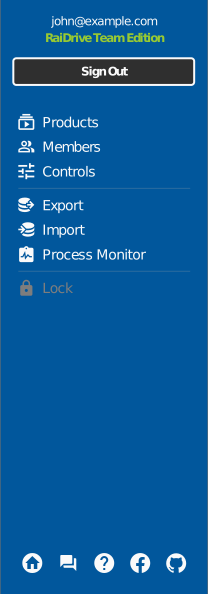
The icons at the bottom of the panel link to the homepage, community forum, help, Facebook, and GitHub — Community opens the user forum for your language, and Help () opens this page.
What the account gives you
| Item | Description | Page |
|---|---|---|
| Subscription | Your plan and licenses, managed on the subscription site (Products / Members / Controls) | Subscription |
| Sharing | Let other accounts use your subscription via the member list | Sharing |
| Export/Import | Move your drive list to another PC | Export/Import |
| Process Monitor | See which programs access files on your drives | Process Monitor |
| Remove Access | Remove RaiDrive's access to your storage, or unlink the Google, Apple, or other account you sign in to RaiDrive with | Remove Access |
Any paid plan
Process Monitor is included in every paid plan (Starter and above) — not on the free Standard plan. See raidrive.com/pricing. Export/Import is available on every plan, including Standard.
Sign out
Sign Out in the Account panel disables subscription features and reconnects the drives — save your work first.